
That urgent text can wait: how to spot a scam before you pay |
Delivery fees, tax refunds and urgent bank warnings exploit the same pressure to act. Give yourself permission to check somewhere else. |
A parcel is supposedly waiting. There is a small fee to pay. The message arrives between the school run and the next thing you are already late for, and the amount is just low enough to seem easier to pay than investigate. That is the useful moment to stop. The trick is not necessarily a spectacular story. It is an ordinary task, presented as urgent, with a convenient button. For Peterborough households ordering shopping, managing bills or dealing with tax online, the most useful defence is a habit: check the claim somewhere the message has not sent you. A familiar name is not proofA delivery company’s logo does not establish that it sent the text. Nor does a caller knowing your name establish that they work for your bank. For a parcel query, open the retailer’s order history or the courier’s genuine app yourself. For a bank warning, use your banking app or a number from your card or statement. Ofcom advises using independently checked contact details, rather than the number supplied by a suspicious caller. A tax refund deserves the same treatment. Check through your HMRC account or the official app, not a link offering money in exchange for your details. HMRC’s current scam guidance explains that it does send some genuine texts, but warns against refund messages asking for personal or financial information. That distinction matters. “All texts are fake” is not a reliable rule. Independently checking what the message claims is much more useful. Good spelling is not a safety certificate either. A polished message can still lead to the wrong place. You do not owe an unexpected sender an immediate reply, however impressive their punctuation. Make the account harder to take overYour email deserves particular attention because it is often where password-reset messages arrive. Where a service offers passkeys, the National Cyber Security Centre now recommends them as the first-choice sign-in method. Where you still use passwords, make your email password different from your other accounts and enable two-step verification; the National Crime Agency recommends both. Do this through the real account’s security settings. An unexpected message offering to “upgrade your security” is not the place to begin. It is also worth agreeing a household rule about urgent payment requests: nobody should be embarrassed to check. A quick conversation before sending money is easier than a difficult one afterwards. If you have already respondedMove quickly, without wasting time blaming yourself. If you have shared bank details or sent money, contact your bank or card provider immediately using its official app, website or the number on your card. Explain what happened. Recovery is not guaranteed, but delay does not help. If you disclosed an account password, change it through the genuine service and secure any other account using the same password. If you installed software at a stranger’s request, seek technical help; Ofcom advises avoiding banking apps on the affected device until you know it is safe. For reporting in England:
The government’s reporting guidance and Ofcom explain the routes. The practical aim is not to become a full-time scam detective. It is to make one small pause automatic. The parcel can wait while you open the proper app. Your money should not have to leave the account to prove that the account is safe. |
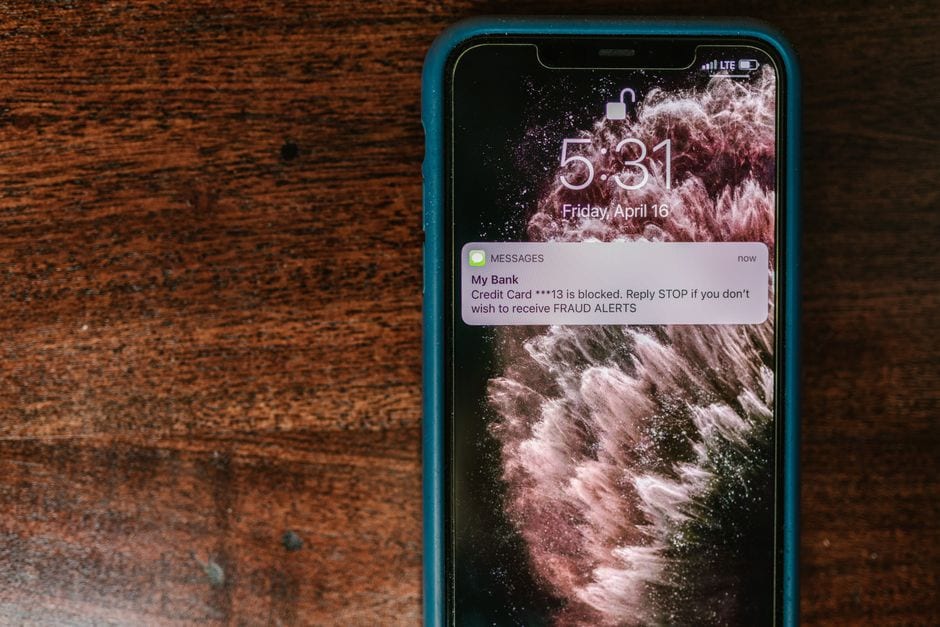 A text message claiming to be a bank fraud alert. Illustrative photo. Photo by RDNE Stock project on Pexels |




0 Comments
Join the conversation
Be the first to comment
Share your thoughts above.